"From" Notification Email Address Change
We have updated the Checkwriters System Email Address from which users may receive automated email notifications about Time Management topics. These will now come from notification@mg.checkwriters.com. Previously, these email notifications came from donotreply@checkwriters.com.
Note: This change is related to Timesheet users only, and the related timesheet reject and timesheet reminder emails.
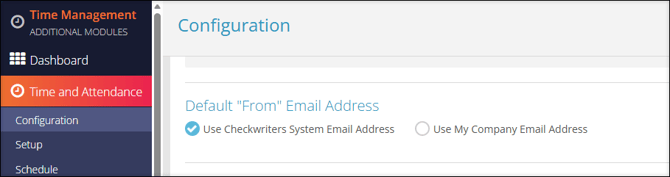
To view your Default “From” Email Address settings, navigate to Time Management (module) → Time and Attendance → Configuration.
-
Scroll to the Default "From" Email Address section.
- If your selection is Use Checkwriters System Email Address, your Time Management email notifications will now come from notification@mg.checkwriters.com.