
Note: We recently released this filtering enhancement for Timesheet as well: 05/15/2026 Release Notes: Link Rates to Cost Centers Timesheet Filtering
Important: This enhancement does not apply to employees punching time on physical ZK or Swipeclock models.
For clients utilizing Checkwriters' option to link Rates to Cost Centers, we have enhanced the Cost Center dropdown menus on the following pages:
-
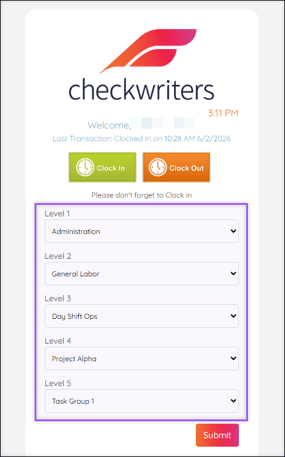
ESS → Clock In/Out
- Attendance (module) → Approval → TimeClock Mgr Approval → Add/Edit
- Attendance (module) → Approval → TimeClock Adm Approval → Add/Edit
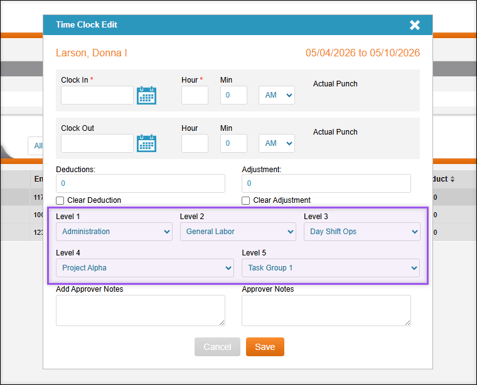
The system now verifies the employee's exact rate profile against the entire Cost Center hierarchy. When a selection is made for Cost Center 1, the system filters the Cost Center 2 dropdown options to those associated only with the Cost Center 1 selection. Because the system guides these selections, the timesheet is guaranteed to match an approved pay rate.
For example:
- Cost Center 1: When selecting the first Cost Center dropdown (e.g., Location), the list shows only the Locations the employee is assigned.
- Cost Center 2: When selecting the second Cost Center dropdown (e.g., Department), this list is now filtered to show only the employee’s Departments that exist within the selected Location.
- Cost Centers 3, 4, and 5: The filtering continues all the way down the chain.
Note: If you change a selection for one of the Cost Centers, the following Cost Centers will automatically clear out to prevent an invalid combination.