
For clients using Time Off Calendar in Employee Self-Service (ESS), we have added an enhancement that allows employees to cancel a pending Time Off Request before a manager approves it.
To cancel a pending Time Off Request, employees will navigate to ESS → My Time → Time Off Calendar → Detail (tab).
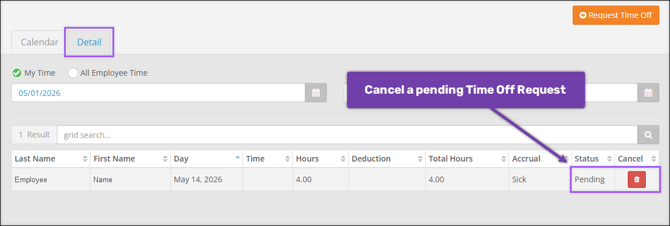
Employees can then select Delete on a pending request to cancel it. This will remove the request from the employer’s view in HR Admin → Time Off Center → Time Off Calendar.